Archivio
Minimal OTP-based storage app to securely upload, organize, and access files from anywhere.
🗄️ Your files, neatly stored with passwordless access
Archivio keeps storage simple: OTP login, a clean dashboard, and secure file uploads - built as a lightweight personal cloud drive.
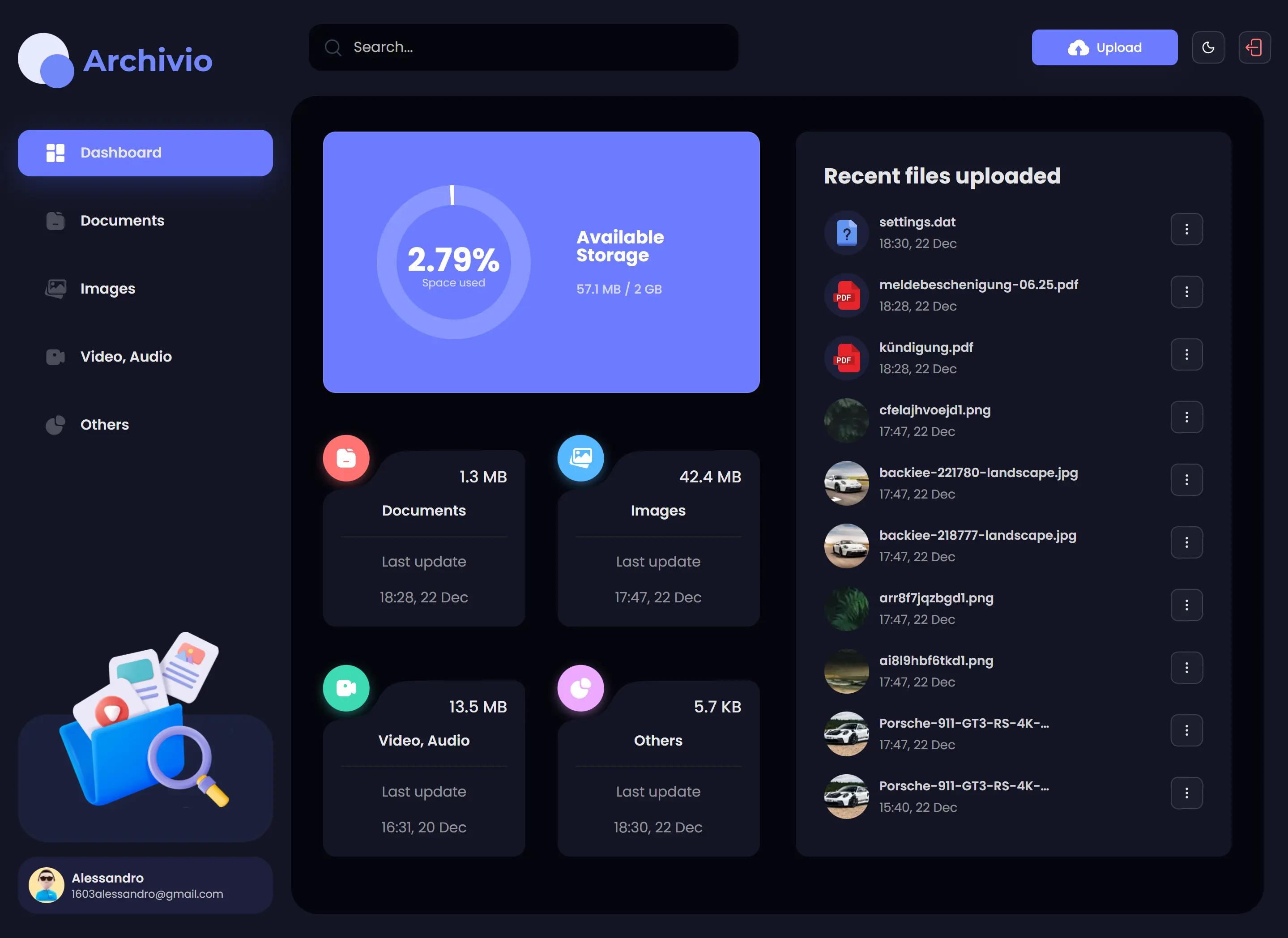
🔍 What is Archivio?
Archivio is a lightweight personal storage web app focused on fast access and simple security. Users authenticate via one-time password, then upload and manage files in a clean dashboard. It's designed as a 'private drive' with a modern UI, responsive layouts, and a straightforward data model for file metadata + storage objects.
🧩 Key Features
📌 Why I Built This
I wanted a compact, modern storage web app that cuts out complexity: passwordless auth, straightforward uploads, and a clean UI. Archivio is a practical project to refine dashboard UX patterns, storage workflows, and a solid Next.js architecture.
💡 Use Cases
- Store personal documents and access them from any device.
- Upload and share files between machines without USB drives.
- Keep a lightweight private archive for PDFs, images, and exports.
- Use as a base to add folders/tags, sharing links, or team spaces later.
🧪 Tech Stack Overview
- Next.js - App Router-based framework for routing, server actions/API routes, and a structured dashboard layout with fast navigation.
- React - Component-driven UI for the login flow, file table/grid views, upload dialogs, and interactive file actions.
- TypeScript - Typed models for users, file metadata, and upload states to keep the UI + server logic predictable and safe.
- Tailwind CSS - Utility-first styling for a clean, responsive interface (dashboard spacing, typography, mobile layouts).
- Appwrite - Handles auth, databases, and storage for multi-workspace data, permissions, and secure project/task persistence.
- shadcn/ui - Prebuilt accessible UI primitives (dialogs, buttons, dropdowns, tables) to keep the interface polished without heavy custom components.
⚙️ Getting Started
🧠 Challenges & Learnings
- A clean separation between storage objects and metadata makes listing/searching fast and keeps the UI simple.
- Uploads feel significantly better with progress feedback, optimistic UI updates, and clear post-upload actions.
- Planning storage permissions early prevents painful refactors when adding sharing or multi-device sessions.
📸 See it in Action
Want to chat about this project? Let’s chat.