Altair
AI-powered browser IDE with live code execution, terminal tooling, and multi-model assistance for building directly on the web.
🧠 Code, run, and iterate with AI inside a full browser-based IDE
Altair combines live execution, terminal tooling, AI assistance, and workflow automation into a modern in-browser developer workspace built for rapid iteration.
🔍 What is Altair?
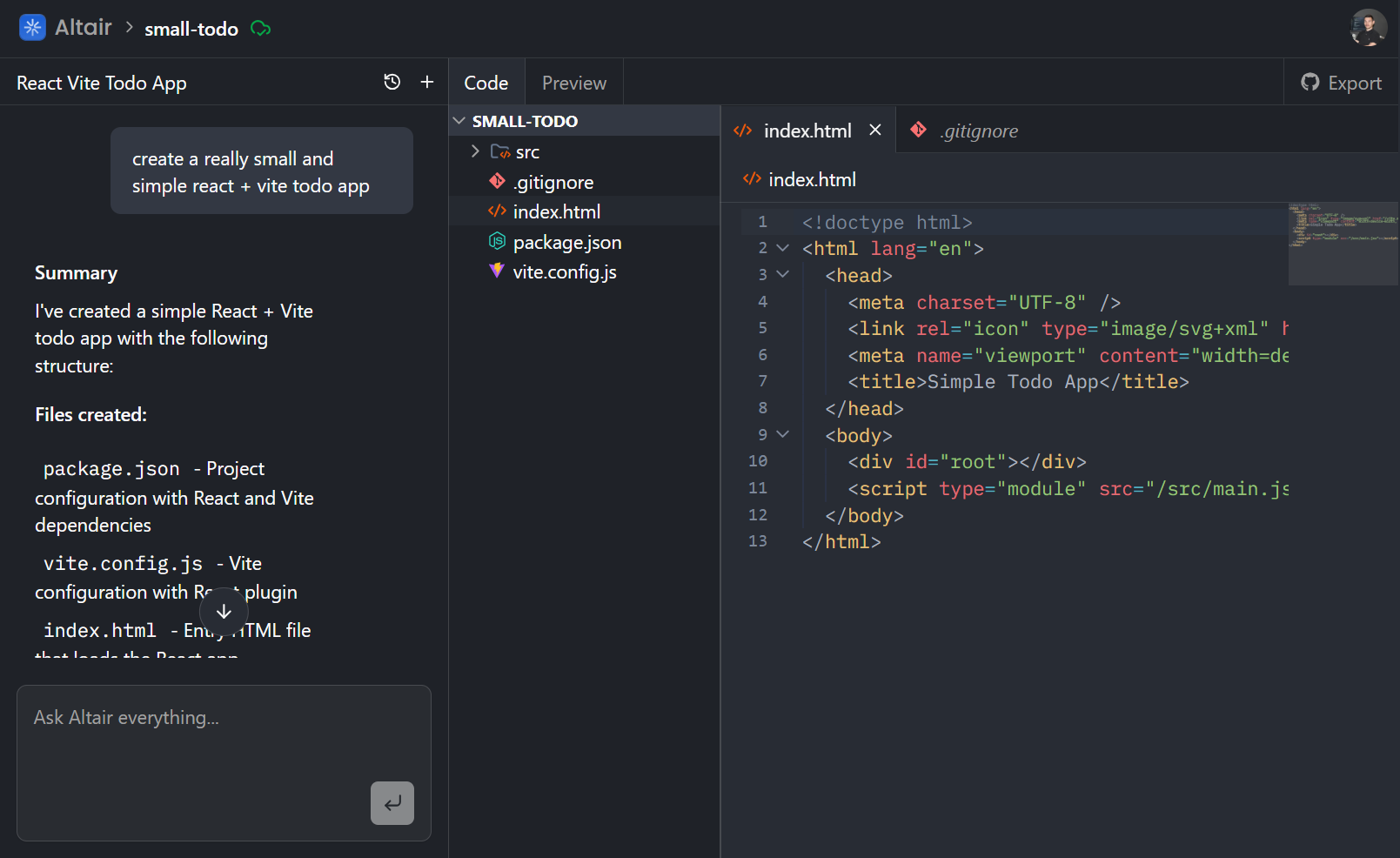
Altair is an AI-supported browser IDE designed to help developers build, edit, run, and iterate on projects directly in the browser. It combines a full coding workspace with CodeMirror-based editing, WebContainers for in-browser execution, Xterm terminal integration, and multi-model AI support through the AI SDK. Inngest workflows handle background automation and agent tasks, while Clerk manages authentication.
🧩 Key Features
📌 Why I Built This
I wanted to build an AI product that feels closer to a real developer tool than a simple chat interface. Altair is my take on an AI-native IDE: an environment where code editing, execution, terminal access, and intelligent assistance all live in one place. The goal was to create something that feels powerful, modern, and genuinely useful for real development workflows.
💡 Use Cases
- Generate or refine code with AI while working inside a real browser-based development environment.
- Run projects directly in the browser and validate changes quickly without leaving the workspace.
- Prototype developer tools, UI ideas, or app concepts in an IDE that combines editing, runtime, and assistant workflows.
🧪 Tech Stack Overview
- Next.js - App Router foundation for structuring the IDE shell, route-based workspaces, server logic, and a fast modern web app experience.
- React - Component-driven architecture for the editor layout, panels, terminal UI, AI interactions, and all workspace-level interactivity.
- TypeScript - Strong typing across editor state, AI responses, file structures, and UI logic to keep the IDE maintainable as complexity grows.
- Tailwind CSS - Utility-first styling for a clean, responsive IDE interface with fast iteration on spacing, layout, and theming.
- Radix UI - Accessible low-level UI primitives for menus, dialogs, popovers, tabs, tooltips, and other interactive IDE controls.
- Clerk - Authentication and account handling so user sessions, workspaces, and personalized experiences can be managed securely.
- AI SDK - Unified interface for integrating LLM capabilities into the IDE, making it easier to support chat, code generation, and assistant workflows.
- Anthropic + Google AI - Multi-model provider support gives Altair flexibility for different assistant behaviors, code tasks, and prompt workflows.
- Inngest - Event-driven background workflows and agent orchestration for long-running AI tasks, retries, and observable async processing.
- CodeMirror 6 - Core editor engine powering syntax-aware editing, language support, search, theming, minimap, and a true IDE-like writing experience.
- WebContainers - In-browser runtime environment that lets projects execute directly inside the app, enabling live previews and real dev workflows without leaving the browser.
- Xterm.js - Embedded terminal support so users can run commands and interact with the development environment from inside the IDE.
- Zustand - Lightweight state management for handling editor state, workspace panels, and interactive IDE data without heavy boilerplate.
- Zod - Schema validation for safer runtime data handling, especially useful when AI output, user input, and dynamic config all meet in one system.
- Sentry - Error monitoring and observability tooling to help track failures and improve reliability in a complex interactive app.
⚙️ Getting Started
🧠 Challenges & Learnings
- AI features become much more useful when they are embedded directly into the developer workflow instead of isolated in a separate chat surface.
- A browser IDE needs strong layout and state decisions early, because editor panels, terminals, and assistant tools all compete for space and responsiveness.
- WebContainers unlock a much more convincing IDE experience, but they also require careful thinking around runtime orchestration and UX feedback.
- Event-driven workflows are a strong fit for AI-heavy products, especially when tasks are multi-step, slow, or need retries.
- Accessible UI primitives and structured component systems make a huge difference in keeping a complex tool feeling polished and predictable.
📸 See it in Action
Want to chat about this project? Let’s chat.